
Effective Prompt Engineering for Daily Productivity
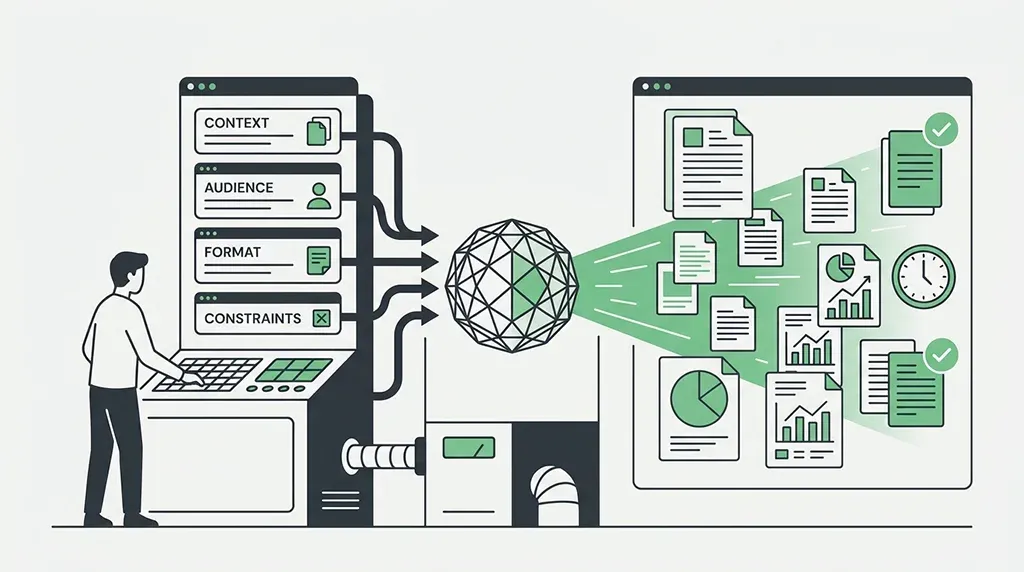
Prompt engineering for everyday work isn't secret syntax. It's context engineering in miniature: handing the model context, audience, format, and constraints, then iterating. Here's the full playbook.
· 12 min read
For people using ChatGPT, Claude, or Gemini for everyday tasks like planning a day, drafting email, or summarizing notes, who get generic results and want a reliable habit rather than a rigid framework.
Key takeaways
- Vague in, vague out: the top reason AI feels generic is a short, search-engine-style prompt with no context. Fix it by stating context, audience, format, and what to leave out.
- The model only knows what you hand it: not your inbox, calendar, or an earlier chat, unless a memory feature is explicitly on. That noticing-and-supplying move is what people now call context engineering, and it's the same discipline as prompt engineering, just named for the part that trips people up most.
- Long documents want chunking, not dumping. Even big-context models skim past detail buried in the middle of a long paste, so point at the specific section the task needs instead of pasting the whole file.
- Iteration is the technique, not a fallback. Treat the first reply as a draft and correct it in a few pointed steps rather than rewriting your prompt from scratch.
- Personas are not a silver bullet. Research on their value is genuinely mixed, so lean on context and format first and use a role only when it changes real decisions.
- Save what you repeat. Anything you'd retype more than twice a week belongs in custom instructions or a project, not in every message.
What prompt engineering actually means
The phrase sounds technical, so people assume there is a secret syntax to memorize. There isn't. The single most common mistake is treating an AI chat like a search engine: typing something short and vague like 'Tell me about marketing' or 'Help with my business plan' and expecting a useful answer back. What you get is generic and surface-level, because a generic question can only produce a generic reply.
The gap between 'just asking a question' and prompt engineering is structure. Asking is casual conversation. Prompt engineering is giving the model the four things it would otherwise have to guess: context, audience, format, and constraints. That is the whole discipline for daily work. A useful shorthand you'll see everywhere is vague in, vague out. Add structure and the same model that gave you fluff gives you something you can actually use. It's also why the AI productivity paradox, the widely reported finding that AI adds work as often as it saves it, traces back to loose prompting more often than to the model itself.
The building blocks of a good prompt
For anything you do regularly, a workable prompt answers a few questions the model can't answer on its own. You don't need a template. You need the habit of stating these in a sentence or two before you hit send.
- Context: the actual material and background. Paste the transcript, the draft, the task list. What you already tried counts too.
- Audience: who the output is for. 'Explain this to a new teammate' and 'explain this to my CEO' produce very different answers.
- Format: the exact shape you want back. Bullets, a table, three sentences, headings. Naming the format is what stops you reformatting the reply by hand.
- Constraints and exclusions: length limits, tone, and, crucially, what to leave out. Telling the model what NOT to include ('no jargon', 'don't invent statistics', 'skip the intro') sharpens the result as much as any positive instruction.
Context engineering: what the model can't see unless you hand it over
'Context engineering' and 'prompt engineering' get used almost interchangeably now, and for daily work the distinction matters less than the underlying habit: the model's whole world is the current conversation. No inbox, no calendar, no memory of the chat you closed yesterday, unless a memory feature is explicitly switched on. Context engineering is just prompt engineering with a spotlight on the part people skip: noticing what's missing and handing it over on purpose instead of assuming the model already has it.
This matters most once the context itself gets long. A big advertised context window is not the same as usable attention. Models reliably neglect detail buried in the middle of a long input, so a 40-page contract pasted in whole gets a shallower read than the same contract chunked into the two clauses the task actually needs. Point the model at the relevant section, or split a broad question into a few targeted ones, rather than trusting one giant upload to get equal attention cover to cover.
The other half of context engineering is deciding what should persist versus what should be typed fresh each time. Background that's true in every conversation, your role, your usual tone, the project you're working in, belongs in custom instructions, a ChatGPT Project, a Claude Project, or a Gemini Gem, so it stops competing for space with the actual task. Save the prompt itself for what's true only in this one conversation.
- One session, no memory: what you said in a different chat, a different tab, or an hour ago does not exist to the model unless you paste it back in or a memory feature is explicitly on.
- Big does not mean read: even large-context models skim past detail in the middle of a long paste. Chunk a long document into the section the task needs instead of dropping the whole file in.
- Persistent beats repeated: custom instructions, Projects, and Gems hold background you'd otherwise retype every message. Use them for anything true across every conversation.
- Order matters: put the material and constraints first, the actual ask last. Models weight the end of a long prompt more heavily, so the instruction should land after the context, not buried before it.
Applying it: daily tasks and advanced moves
Most everyday AI use falls into a handful of jobs. Here is how the building blocks and context-engineering habits above apply to the ones people reach for most.
Morning planning. A prompt people actually share is 'Plan my day based on my current mood, energy level, and how much time I have.' A more structured version: 'Based on these tasks, help me organize my day efficiently and estimate how long each task will take.' The reliable pattern is to brain-dump first: list one task per line with a rough time estimate, then ask for a schedule as a table. One honest caveat: on busy or full-week plans, models routinely miscalculate task durations and quietly break rules like 'keep this block uninterrupted', so sanity-check the timings instead of trusting them.
Email, notes, and research follow the same logic. For email, write your rough version first in your own words and have the model tighten it, so it polishes your voice instead of inventing one. For notes, don't say 'summarize this'; say 'turn this into a 3-bullet TL;DR plus a table of decisions with owners and deadlines.' For research, tell it what you already know so it explains at your level and ask it to flag anything it is unsure of rather than guessing.
A few small advanced moves separate a prompt that technically works from one that reads like it understood you. Iterate on purpose: the strongest advice from experienced users is that it's always better to improve an answer through a short back-and-forth than to expect a perfect one-shot reply, so fire back one specific correction ('shorter', 'less formal', 'add a real example') rather than starting over. Make the model interrogate you: add a line like 'Ask me clarifying questions until you're confident you can complete this task, then answer,' which surfaces missing context before the model commits to the wrong direction. Use personas carefully: opening with 'You are a productivity coach' is popular, but the research is genuinely mixed. One study found personas gave no improvement, and sometimes a negative effect, across thousands of factual questions, while task-specific work roles helped modestly, so reach for a persona only when the role changes real decisions about depth or tone. Set standing preferences: models default to habits people find annoying, like ending every reply with a follow-up question, and a single instruction such as 'Be direct and skip any follow-up questions' fixes it, best saved in custom instructions so you never retype it.
- Brain-dump then structure: raw list in, table or schedule out.
- Draft yourself, then have AI refine, for anything that needs to sound like you.
- Name the output format for every summary so you stop reshaping it manually.
- Correct with one specific note instead of rewriting the whole prompt over.
A full worked example: turning a task list into a schedule
Here's the whole approach in one prompt, built from the building blocks and context-engineering habits above rather than a generic template.
- Context comes first: the raw task list, so the model has real material instead of guessing at a generic day.
- Format is named explicitly: 'a table' with named columns, so the reply arrives usable instead of needing manual reformatting.
- Constraints state what to protect and what to flag, doing double duty as both a positive rule and an honesty check on durations the model can't really know.
- The ask lands last, after all the material and rules, which is where a model's attention is strongest in a longer prompt.
Here is my task list for today. Turn it into a schedule as a table
(columns: time block | task | est. duration).

Rules:
- I work best in the morning, so put demanding work before noon
- Keep one 90-minute block with no meetings
- Flag any task where you're unsure of the duration

Tasks:
- Draft Q3 update email (~30 min)
- Review two pull requests (~45 min)
- Prep for 2pm client call (~1 hr)
- Reply to backlog of Slack messages (~20 min)
Common mistakes to avoid
- Vague asks. Short search-engine prompts get search-engine-shallow answers. Add context, audience, and format before you send.
- Assumed context. Users often assume the AI has information it was never given. It cannot see your inbox, your calendar, or a chat from earlier in the day unless you paste it in. Missing context is where generic and hallucinated answers come from.
- Dumping instead of chunking. Pasting an entire long document and asking a broad question buries the part that matters in the middle, where models pay the least attention. Point at the specific section, or split the ask into a few targeted questions.
- Accepting the first draft. One-shot acceptance leaves the good version on the table. The reply after one pointed correction is usually the keeper.
- No exclusions. If you don't say what to leave out, the model includes everything it thinks might help, which is how you get bloated, off-target output.
- Reusing stale prompts. A prompt you saved months ago can quietly stop fitting once your goal or situation changed. Reread saved prompts before reusing them and update the context to match today.
Save what you repeat
The techniques above cost seconds each, but paid on every message all day they become the reason people quietly give up. The fix is to save the ones you repeat, not to type them again. Custom instructions are widely called underrated by people who don't want to re-explain their preferences in every chat, and the same idea lives in ChatGPT Projects, Claude Projects, and Gemini Gems.
Move any instruction you'd use more than twice a week into those persistent settings: your default tone, the formats you always want, the roles you keep reaching for, and the habits you want banned. Set once, applied everywhere, and your prompt stays focused on the actual task instead of drowning in boilerplate.
- Tone and style defaults ('plain language, no corporate filler').
- Formats you always want ('lead with a TL;DR, then details').
- Standing behavior fixes ('be direct, skip follow-up questions').
- Recurring roles as Projects or Gems ('daily planning', 'inbox triage').
A checklist you can use today
You don't need to memorize any of this. Keep one loop in mind and run it until it's automatic.
- Context: paste in the material and background the model can't see, chunked to the part the task needs.
- Audience and goal: say who it's for and the specific outcome you want.
- Format and constraints: name the shape, the length, and what to leave out.
- Iterate: read the reply as a draft and give one specific correction.
- Save: the moment a prompt works twice, move it into custom instructions or a project so tomorrow's version is free.
Put it into practice
The library has ready-made prompts that apply everything in this guide, free to copy, no signup.
Frequently asked questions
Do I need to learn special prompt engineering syntax, or is plain English enough?
Plain English is enough. There is no secret syntax. Prompt engineering for daily work just means adding structure to plain language: state the context, who the output is for, the format you want back, and any constraints or exclusions. That structure, not special wording, is what turns a generic reply into a useful one.
Does telling ChatGPT to 'be a productivity coach' actually help, or is asking directly just as good?
It helps less than most people expect. Research on personas is mixed: some studies found no improvement, and occasionally a negative effect, while task-specific work roles helped modestly. A persona is worth using only when the role genuinely changes decisions about depth or tone. For everyday tasks, giving good context and a clear format matters far more than the character you assign.
What's the difference between prompt engineering and context engineering?
In practice, none for daily work. Context engineering is the same discipline described from a different angle: instead of asking 'how do I phrase this well', it asks 'what does the model not know yet, and how do I hand that over'. Context (the material), audience, format, and constraints are still the four things you're supplying either way. If your prompts already state what's missing rather than assuming it's known, you're already doing it.
Why does ChatGPT forget what I told it earlier in the day or in another chat?
Because it only knows what's in the current conversation. It can't see other chats, your inbox, or your calendar, and it doesn't carry memory between separate sessions unless a memory or project feature is turned on. Anything that matters to the answer has to be pasted into the prompt. If you're repeating the same background daily, save it in custom instructions so it's always present.
Is it worth setting up Custom Instructions, or should I write full context every time?
It's worth it for anything you repeat. Custom instructions, Projects, and Gems store your defaults once so you stop retyping the same tone, format, and behavior rules in every chat. Keep task-specific details in the prompt itself, but move any instruction you'd use more than twice a week into persistent settings. Users consistently call this one of the most underrated features.
What's the fastest way to fix a bad answer instead of starting over?
Reply with one specific correction rather than rewriting the whole prompt. Say 'shorter', 'less formal', 'add a concrete example', or 'you missed the deadline constraint.' Experienced users treat this back-and-forth as the main technique, not a fallback: improving an answer over a few pointed steps is almost always faster and better than restarting from a blank box.
Keep going
Keep learning
Prompt
Prioritize a Task Pile With the Eisenhower Matrix Without Everything Landing in 'Urgent'
Fixes the two ways the Eisenhower matrix actually fails you: it makes you define what 'urgent' and 'important' mean for YOUR goals instead of guessing, sorts your whole task dump for you so working memory doesn't blur by task 12, and hands back a concrete next action per quadrant - plus it forces an impact-first re-rank when everything crashes into 'urgent and important.' Once the pile is sorted, protect time for the top quadrant with our deep work session planner so it doesn't just get re-sorted next week.
Guide
Choosing the Right AI Tool for Your Task
There's no single best AI assistant, only better and worse fits for a specific job. Here are the six criteria that actually decide it, plus a fast test to confirm your pick.
Article
The AI Productivity Paradox Is Mostly a Prompting Problem
Studies keep finding AI adds work instead of saving it. A surprising share of that hidden tax isn't the model's fault - it's how we prompt.