
AI Tool Fatigue Is Real. The Fix Isn't Another App.
AI tool fatigue comes from treating a skill problem like a shopping problem. Why switching resets your progress, and how to tell a real tool limit from a prompt gap.
MDCrafter Team
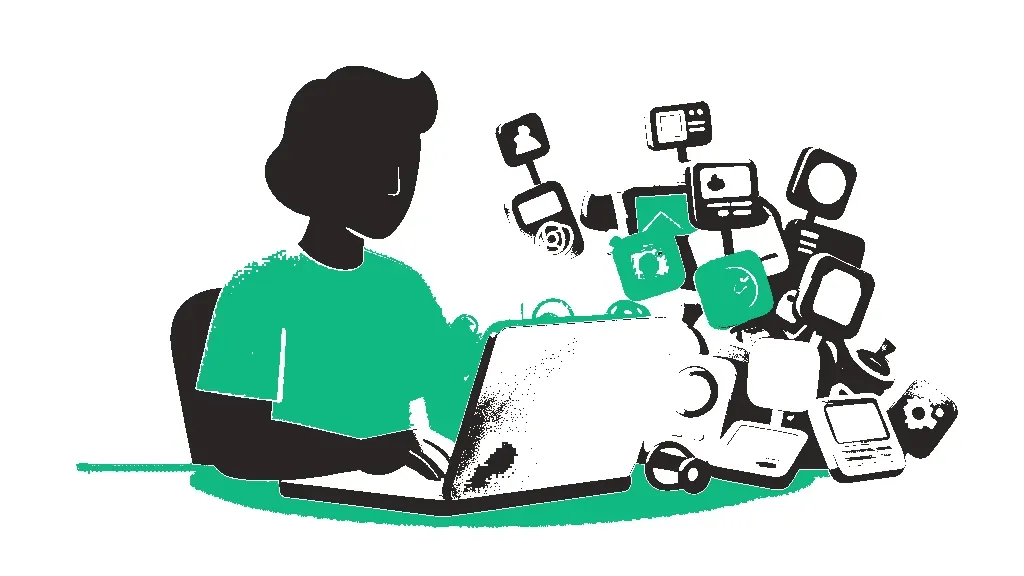
Every week a new model supposedly changes everything, and every week someone in your feed has already cancelled the app you just finished learning. If you're paying for four AI subscriptions, have three half-built workflows, and still suspect you're using the wrong one, that's AI tool fatigue. It isn't a discipline problem. It's what happens when you treat a skill problem like a shopping problem.
The standard advice is to tidy the stack: keep a few tools, cut the rest. That helps. It also skips the more useful question, which is why the new tool looked so tempting in the first place.
What AI tool fatigue actually costs you
The cost is easy to underestimate because it arrives in small pieces. Remio.ai's roundup of Reddit threads in r/ProductivityApps and r/SaaS describes a founder who timed his own toggling between four tools and landed on eleven minutes lost per hour, which he worked out to nearly two full workdays a month. Those threads are full of side-by-side comparisons, and the most upvoted reply in one of them simply read: "I deleted everything except one note app and my calendar."
That's a secondhand account, so treat the exact figure loosely. The pattern holds up anyway. The writers at Build in Public Hub put it bluntly: "We're building in public about 'focus' and 'deep work' while context-switching between 6 AI tools like maniacs." Their diagnosis is the part worth keeping: "We optimize for AI model performance but ignore the cognitive overhead of using them."
Shiny object syndrome, AI edition
Shiny object syndrome with AI has a particular engine behind it: the release pace makes you feel behind, and feeling behind makes every new tool look like the cure. Ruba Madi wrote on Substack about spending six months chasing new apps, plugins, and agents without ever building a system that held together. What finally broke the cycle wasn't a better app. It was a realization: "You don't need to master everything. You just need one environment that remembers you."
Another writer, a self-described AI power user, took a two-week break and came back feeling like "Rip Van Winkle awakening to a world that had leaped forward." Two weeks. If that's how a heavy user feels, a casual one reading launch threads will never feel caught up, and no subscription fixes that feeling.
Switching resets the part that actually took work
Here's what the launch posts leave out. The value you get from an AI tool isn't mostly the model. It's everything you built around it: custom instructions, saved prompts, memory, the examples you fed it, the rough sense you've developed for how it misreads you.
The Coding With Roby newsletter makes this point about AI coding models: "Switching doesn't always save you time. It often costs you time," because moving means abandoning agents, hooks, and CI/CD integrations you already set up, while the models themselves "are not getting dramatically better than each other." The power user from earlier arrived at the same place from the writing side. Leaving his tool meant throwing away "a huge investment" in teaching it his voice, style, and workflows. So he stopped platform-hopping and set aside scheduled time to experiment instead.
Most "I need a better tool" moments are prompt gaps
This is the angle the roundups miss. When ChatGPT hands you something generic, the reflex is to try Claude or Gemini. Sometimes that's right. More often the prompt had no audience, no example of good output, no format, and no constraints, and the next tool gets the same thin prompt and returns the same flavor of mush.
A post on The Thinking Builder quotes someone who cancelled Claude, Grok, Gemini, and Perplexity and kept only ChatGPT after realizing most of them were "facades of one of the LLM models." Their conclusion: "once you master prompting, probably half of the tools are irrelevant." That's one person's call, but it matches what we see. The skill carries over between tools. The subscription doesn't.
So before you switch, run one test. Rewrite the failing prompt with a clear role, the real context, a short sample of what good looks like, and the exact output shape you want. Our prompt library is built on that structure if you'd rather start from a working template than a blank box. If the rewritten prompt still fails, you've found a genuine limitation. Now a second tool is worth a look.
Should I use one AI tool or multiple?
Usually one main tool, plus one more for a specific, proven gap. MindStudio's "three-tool rule" argues you should "become exceptional at three tools rather than average at seven," pointing to cognitive-load research suggesting working memory holds about four items at once. Their line on decision fatigue is the one that stuck with us: "With three tools, the decision is quick and often automatic. With eight tools, you face a non-trivial decision every few minutes."
Three is a ceiling, not a target. If one general assistant covers most of your work, you don't need to go find two more to fill the quota.
How to stop switching AI tools without falling behind
None of this means ignoring new tools. It means making them earn a spot by beating what you already know how to use, not just by being new.
- Pick a home base and commit to it. One general assistant where your custom instructions, saved prompts, and context actually live.
- Keep a limitation log. Each time the tool fails, write down the task and what went wrong. Switch only when the same failure keeps showing up after you've fixed the prompt.
- Schedule your experimenting. An hour every other Friday for new releases beats reacting to every launch thread the day it drops.
- Audit subscriptions quarterly. AI subscription fatigue is partly a billing problem: anything you haven't opened in a month goes.
- Skip the "best AI tool 2026" roundups until your log says you need one. There's no universal best, only the one you've learned to drive.
References
- Ruba Madi (Substack) - "The shift that took me from AI overload"
- Coding With Roby (Substack) - "Stop Chasing Every New AI Coding Model"
- Build in Public Hub (Substack) - "We preach 'focus' while context-switching between 6 AI tools"
- AI in Everyday Life (Substack) - "Confessions of an AI Power User Stuck in the Mud"
- MindStudio Blog - "The Three-Tool Rule for AI Productivity"
- Remio.ai - "Reddit's AI Tool Talks Are Turning 'Productivity' Into Selection Anxiety"
- The Thinking Builder (Substack) - "On AI Fatigue"
Enjoyed this? Get the weekly craft.
One crafted prompt in your inbox each week, with the reasoning behind it.
Free. Unsubscribe anytime.
Keep going
More to read
Guide
Choosing the Right AI Tool for Your Task
There's no single best AI assistant, only better and worse fits for a specific job. Here are the six criteria that actually decide it, plus a fast test to confirm your pick.
Tool
Prompt Crafter
Fill in role, task, tone and format, and get a clean, structured AI prompt back. No AI calls.
Article
AI Burnout Starts in the Prompt Box, Not the Workload
AI burnout gets framed as an HR problem. The part that actually wears you down is the prompting loop: re-prompting, reviewing output, and never switching the thing off.