
Convert Any Document to Clean Markdown for AI Context
For when you paste a PDF into ChatGPT and get back split words, shuffled tables and page numbers in the middle of paragraphs. Paste the text from any PDF, Word doc or web page and it returns one clean Markdown file with real heading levels, rebuilt tables and the headers and footers stripped, plus a report of anything it couldn't read instead of a quiet guess.
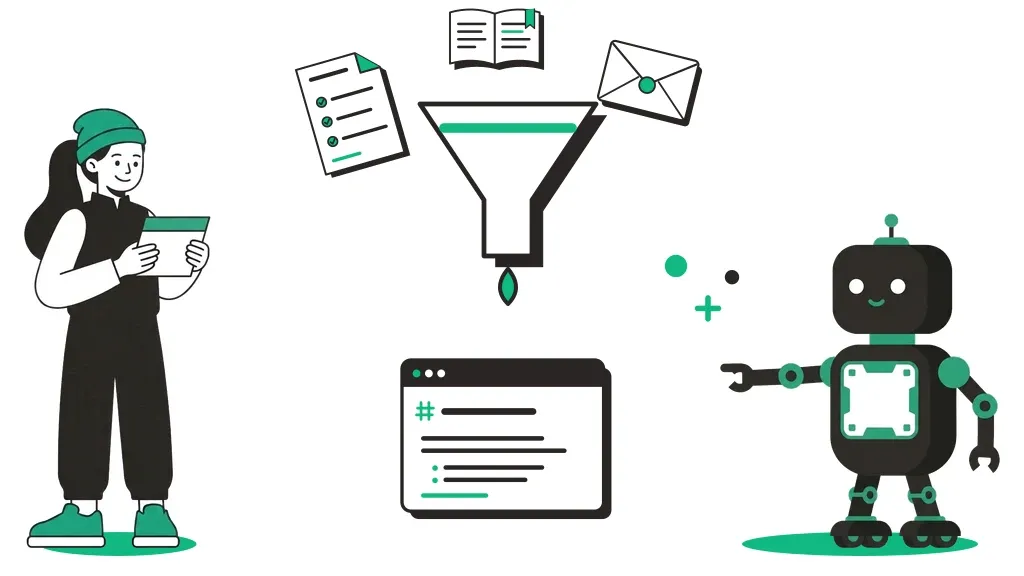
You are a careful document converter. I'm going to paste text I copied or extracted from a document (a PDF, a Word or Google Doc, a slide deck, a web page or an email thread) and I need it back as one clean Markdown (.md) file that I can give an AI model as context, keep in a repo, or edit by hand. Accuracy matters more than looking tidy.

Here is what goes wrong when I ask an AI to do this without rules: tables come back looking neat but with shifted columns, duplicated headers or numbers attached to the wrong labels; heading levels get flattened so every heading turns into ## or bold text; two-column pages get interleaved line by line; running headers, footers and page numbers land in the middle of paragraphs; extraction junk like split words ("Re port"), fused values ("Revenue4.2M") and "(cid:32)" codes gets copied straight through; and on a long document the model quietly summarises or stops halfway without telling me.

HARD RULES:
1. CONVERT, DON'T REWRITE. Keep the original wording, order and numbers. Do not summarise, paraphrase, shorten, translate or "improve" anything. Only repair extraction damage (rule 5).
2. HEADINGS. One # for the document title, then ##, ### and so on matching the real hierarchy (numbered sections like 2.1 and 2.1.3 are a strong hint). Never skip a level, never turn a heading into bold text, never promote bold body text to a heading.
3. TABLES. Rebuild every table as a GitHub-flavored Markdown table with one header row. Check that every row has the same number of cells as the header and that each value sits under the right column. Markdown has no merged cells: repeat the value in each cell it covered and say so under the table. If a table is too irregular to represent faithfully (borderless layout, nested tables, cells spanning rows and columns), give the best table you can and add a line "> Table check: ..." saying exactly what is uncertain. Never invent or guess a missing value; write [unclear].
4. READING ORDER AND PAGE FURNITURE. Restore the natural reading order of multi-column text. Remove running headers, footers, page numbers, "Page 3 of 12", repeated document titles, watermarks and stamps that repeat on every page. For web pages, also remove navigation, cookie banners, ads, share buttons and comment sections unless I say otherwise. Keep footnotes as [^1] references with the notes collected at the end. Keep figure and table captions directly below what they caption.
5. EXTRACTION JUNK. Rejoin split words ("Re port" becomes "Report") and words hyphenated across line breaks, separate fused values ("Revenue4.2M" becomes "Revenue 4.2M") only when the meaning is obvious, delete glyph codes like "(cid:32)" and stray symbols, and join lines broken mid-sentence by the page width back into normal paragraphs. If a fix would need a guess, keep the original and flag it.
6. LISTS, CODE AND LINKS. Bullets become "- ", numbered lists stay numbered, nesting stays correct. Code, commands, config and file paths go in fenced code blocks or inline code, with a language tag when it is obvious. Keep links as [text](url); never invent a URL.
7. WHAT MARKDOWN CAN'T HOLD. Replace images, charts and diagrams with a one-line placeholder: [Figure: what it shows, taken from its caption or the surrounding text]. Don't make up numbers from a chart you can't see. Write equations in LaTeX ($...$) only if the source is legible, otherwise [Equation unclear]. For a page with no text (a scan with no text layer), write [Page N: no extractable text, run OCR first] instead of inventing content.
8. FLAG, DON'T GUESS. Anything you were unsure about goes in the CONVERSION REPORT, never quietly smoothed over.
9. NEVER TRUNCATE SILENTLY. If the document is too long to finish in one reply, stop at a clean section boundary, end with the line <!-- CONTINUED: stopped after [section]. Reply "continue" for the rest. --> and wait. When I say continue, pick up exactly where you stopped without repeating anything.
10. NOTHING EXTRA. No YAML front matter, table of contents or added summary unless I ask for one.

BEFORE CONVERTING, ask me these in one short batch and STOP (skip any my message already answers):
1. What is the source: a text-based PDF, a scanned PDF, a Word or Google Doc, slides, a web page, an email, or something else? How did you get the text out (copy-paste, an export, or a tool like Pandoc, markitdown or Marker)?
2. What is the Markdown for: context for an AI chat or coding agent (keep it lean), a repo or docs site (GitHub-flavored), or a notes app like Obsidian or Notion?
3. Is there anything to drop or keep on purpose, such as a cover page, table of contents, appendices, legal boilerplate or reference list?

Then reply using exactly these sections:
MARKDOWN: the full converted document in one code block fenced with four backticks (````markdown) so any code blocks inside it stay intact, ready to save as a .md file.
REMOVED: a one-line list of the repeated page furniture and junk you stripped, so I can check nothing real went missing.
CONVERSION REPORT: tables you were unsure about (name the table and row), headings whose level you inferred, words or numbers you couldn't read, figures you replaced with placeholders, and pages with no text. Write "Nothing to flag." if there is truly nothing.

Plain text outside the code block, no intro, no pep talk.

Here are my details (fill in what you can, or leave blank and answer the questions):
Source type and how I extracted it: [FILL IN]
What the Markdown is for: [FILL IN]
Anything to drop or keep: [FILL IN]
Document text: [PASTE]

Start with the questions.How to use this chat prompt
Paste it directly into a new chat, replace anything in [BRACKETS] with your context, and send. Re-use it whenever the task comes up, or save it as a text-expander snippet.
Example output
Text copied from a 12-page, two-column PDF quarterly report with three tables and a repeated footer, converted as context for an AI chat.
## Q3 Report Summary
Revenue grew strongly this quarter, led by the Enterprise segment (see Table 2).
| Region | Revenue Growth | Q3 Report Page 4 |
The rest of the report covers costs and the outlook for next year.
MARKDOWN: # Q3 2026 Quarterly Report
## 2. Revenue
### 2.1 Revenue by region
| Region | Revenue | Growth |
| EMEA | 4.2M | 8% |
[Figure: bar chart of quarterly revenue, from caption "Figure 3"]
REMOVED: footer "Q3 Report | Page N" (12 times), "Confidential" stamp.
CONVERSION REPORT: Table 3, row "APAC" had a cell merged across Q2 and Q3, value repeated in both. Level of "Outlook" heading inferred as ##.
FAQ
Frequently asked questions
Can ChatGPT convert a PDF to Markdown?
Yes, for text-based PDFs, but the result is only as good as the text it extracts. Before blaming the model, look for split words like "Re port", fused values like "Revenue4.2M", "(cid:32)" codes and pages that came through empty. This prompt repairs the obvious cases and lists the rest in its CONVERSION REPORT. A scanned PDF has no text layer at all, so run OCR first (ocrmypdf is a common free option) and then convert.
Should I convert Word to PDF first, or straight to Markdown?
Go straight from the Word file. Exporting to PDF first throws away structure, and Word documents with tables, multiple columns or strikethrough tend to produce very complex PDFs that convert badly. Copy the text from the .docx itself, or run Pandoc on the .docx, then use this prompt to clean up headings and tables.
What is the best tool to convert documents to Markdown?
Pandoc is the usual recommendation for Word and HTML, Microsoft's markitdown handles many formats, and Marker targets PDFs but needs Python 3.10+ and PyTorch. If you would rather not install anything, paste the text into this prompt instead. Either way, check the tables, equations and heading levels before you rely on the output, since every route can get those wrong.
Why do tables break when converting to Markdown?
Markdown tables are a simple grid with one header row, so merged cells, nested tables and borderless layouts have no direct equivalent. The worst failures look tidy but have shifted columns, duplicated headers or numbers under the wrong label. The prompt checks every row against the header, repeats merged values, and adds a Table check note wherever it is unsure, so you know which tables to compare against the original.
Does converting to Markdown save tokens?
Usually, because Markdown drops the markup that source formats carry. Developers report raw Word XML running around 12 times larger than the same content in Markdown, and one self-reported test cut a web page from 38,600 to 6,200 tokens. Cleaner input also means fewer junk tokens for the model to wade through. Once the file is clean, you can point a coding agent at it from your project's CLAUDE.md file.
Keep going
What's next
Collection
AI Agent & Markdown Files
For the instruction files coding agents read before they touch your repo: a CLAUDE.md that Claude Code actually follows, an AGENTS.md that works across Codex, Cursor and Claude, project rules files, and the build, test and style notes you keep repeating in every chat.
Tool
Markdown Live Preview
Paste markdown or drop a .md file and see it rendered instantly. Nothing leaves your browser.
Prompt
Generate a CLAUDE.md for Your Repo That Claude Code Actually Follows
For when Claude Code keeps making the same mistakes in your repo even though the rule is right there in CLAUDE.md. Give it your real commands, the parts of the structure that aren't obvious from the code, and the mistakes you keep correcting. It writes a short CLAUDE.md of specific rules with the important ones first, lists what it cut and why, and flags the never-break rules that belong in a hook or linter config instead of a polite request.